See who needs you without looking for it.
A thin line under the notch shows how your agents are doing. Coral means one is waiting for you. Amber means they're working. Hover to see how many.
 Waiting for you
 Working
For coding agents running in herdr, on your MacBook
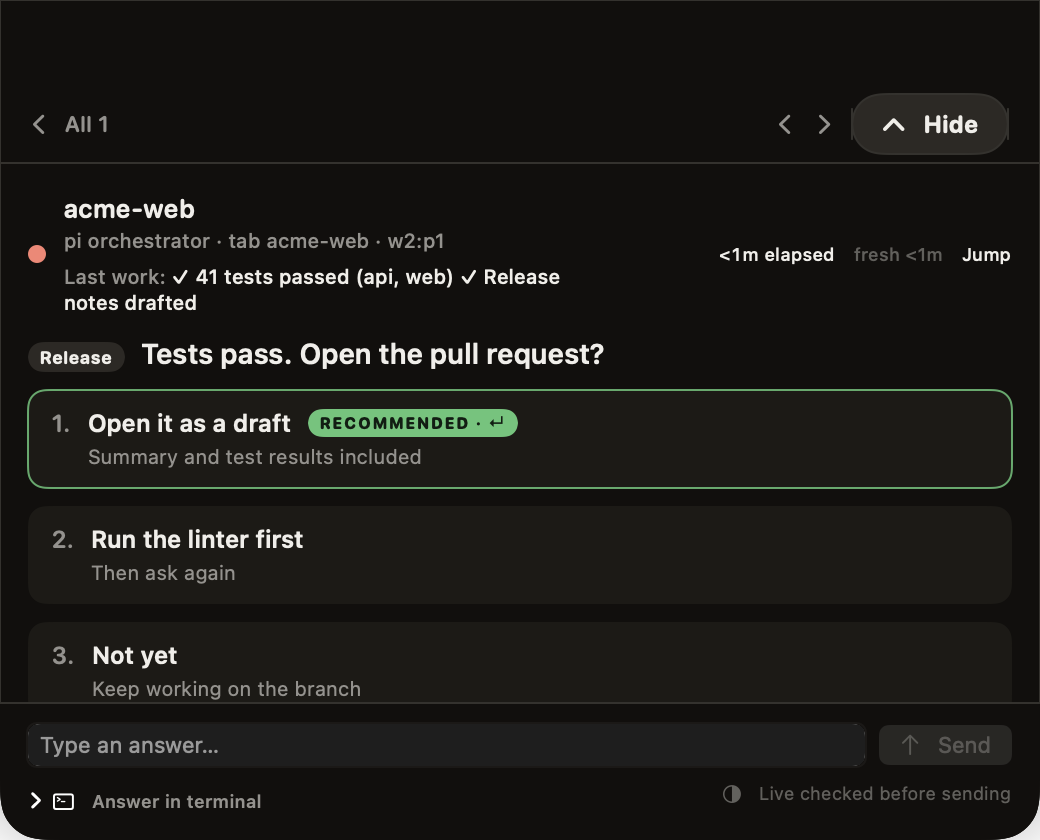
The question shows up in your MacBook notch. Answer it there and your agent gets back to work. You never leave the window you're in.
FreemacOS 14 or laterApple SiliconNeeds herdrNotarized by Apple
On a phone? Open this page on your Mac to install.
Before and after
A thin line under the notch shows how your agents are doing. Coral means one is waiting for you. Amber means they're working. Hover to see how many.
Waiting for youWorkingYou see the question, what the agent just finished, and its choices, with the recommended answer marked. If none of the choices fit, type your own. If you'd rather answer in the terminal, Jump takes you to the exact tab.
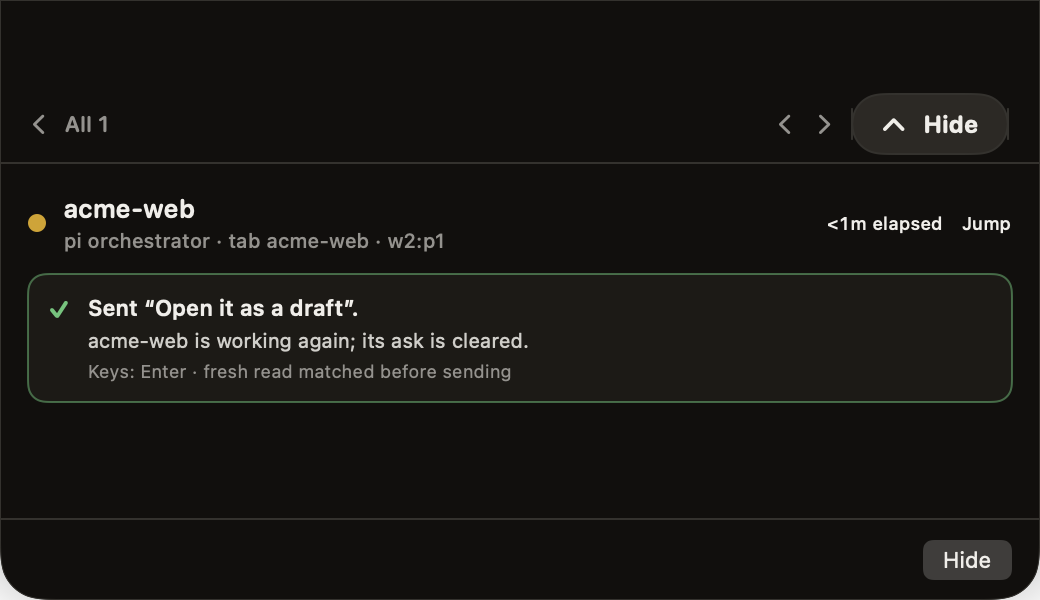
It never answers for you. Before sending, it checks the terminal again. If the question has changed, nothing is sent. Afterwards you get a short receipt saying what was sent and that the agent is working again.
Before you download
Questions
No. Every answer comes from you. Risky questions, like deploying to production or deleting data, ask you to type the target name before anything is sent.
Agents you run inside herdr. For Claude Code and Codex you see their status and answer their supported prompts from the notch; anything it can't read safely goes to the terminal, and Jump takes you there. For OpenCode and Grok you see their status and answer in the terminal. pi is optional. Agents started in a plain terminal outside herdr aren't seen.
With pi, only the lead agent's questions come to you. Questions a helper asks its lead stay with the lead, so your notch doesn't fill up.
Yes. Add the machine's SSH name in Settings. It uses your existing SSH setup and needs a key that works without a password prompt.
For pi, it shows you one small file and asks before adding it to ~/.pi/agent/extensions. Launch at login is off unless you turn it on. macOS asks about notifications only when the first alert arrives.
The download is signed with a Developer ID and notarized by Apple, so macOS opens it after its usual check for downloaded apps. It's a direct download, not from the Mac App Store.
Nothing. It's a free download, with no account to create.
Unstall is the app's new working name. The current download, version 0.1, still shows its earlier name, Notch Agent, in Finder and the menu bar. It's the same notarized app.
FreemacOS 14+Apple SiliconNeeds herdr